10 Tips for Choosing the Right Cutting Machine?
Choosing a Cutting Machine can feel simple until the first job lands on your bench. A small paper trimmer may suit labels, while a sign shop needs a different width, motor, and feed system. The right choice depends on what you cut, how often you work, and how much room you have. Details matter.
Before comparing models, list your usual materials, their thickness, and the largest piece you expect to handle. Check cutting width, depth, blade availability, safety guards, and whether replacement parts are easy to obtain. A machine that handles cardboard well may struggle with dense rubber or layered fabric. Ask suppliers for material-specific test results, not just maximum-capacity claims. If possible, bring a sample and watch a complete cut, including setup and cleanup. That reveals more than a polished product photo.
Budget is only part of the decision. Include blades, maintenance, training, electricity, and downtime in your estimate. Consider noise, dust control, and operator comfort, especially during long shifts. Read the manual and confirm the machine fits your workflow. A fast machine can still create bottlenecks if loading takes too long. Buyers sometimes focus on cutting speed and overlook that delay. It is easy to do. Even a careful comparison can miss something, so test the machine with real materials whenever possible. The tips below offer a practical way to compare options without treating one specification as the whole answer. No checklist replaces hands-on testing, and the perfect choice may not exist. But a measured decision can reduce waste, improve consistency, and make daily work less frustrating.

Identify Your Cutting Needs and Intended Applications
Before comparing cutting machines, define what the machine must cut on an ordinary workday. List materials, thicknesses, sheet sizes, and weekly output; include the largest job, not only typical samples. A machine suited to thin paper may struggle with dense board or repeated cuts through thicker stock. Name the required edge quality, too: a clean display edge differs from a rough cut hidden inside packaging. Small details matter.
Identify where and how the machine will operate. A cramped studio may need a compact footprint and dust collection. Production rooms may prioritize feed speed and consistency. Check available power, ventilation, operator skill, and the space needed to load full sheets. These constraints often change the shortlist more than maximum cutting speed. Map each application to a real job: a prototype, sign, garment pattern, packaging insert, or recurring batch. Record required tolerances and how often designs change; flexible setup may suit varied jobs, while repeat runs need stable calibration. Ask for a test cut using your own material and file, then inspect corners, curves, waste, and edge finish. A sample is useful. Estimate setup time, tool changes, cleanup, and training, not just cutting time. If your forecast is uncertain, avoid buying solely for a rare, oversized project. That assumption can age badly.
Compare Cutting Machine Types and Their Core Functions
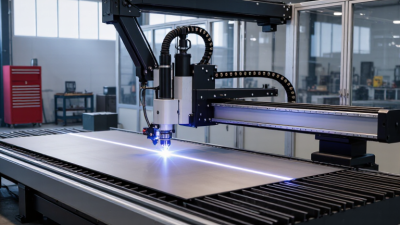
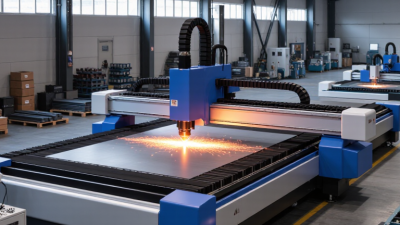
Choosing a cutting machine starts with the material, not the machine’s headline speed. A drag knife can cut thin vinyl and fabric cleanly, while a CNC router handles thicker wood, plastics, and composite sheets. Laser systems make narrow cuts in suitable sheet materials, but heat can discolor edges or affect sensitive surfaces. Plasma cutters suit conductive metal, especially when speed matters more than a fine finish. Waterjet systems cut many materials without a heat-affected edge, though operating costs and maintenance deserve attention.
The Grand View Research 2024 Laser Cutting Machines Market report estimates the global market at USD 5.8 billion in 2023 and projects a 7.5% compound annual growth rate through 2030. That signals growing investment, not proof that laser is right for every workshop.
A laser may excel at intricate outlines; a waterjet may be preferable for heat-sensitive laminates. Plasma is practical for thicker steel, while a knife avoids melting soft goods. Different jobs, different strengths.
Compare the machine’s working area, material thickness range, edge quality, and consumable costs. Ask for a sample cut using your actual material, including its backing or coating. Look closely at corners and small holes. Not always. A faster machine can still create extra finishing work, and published cutting speeds rarely reflect every material setup.
I would also check dust, fume, or debris handling before comparing purchase prices. The overlooked detail? Operator training can shape results as much as the cutting head.
Match Machine Capacity to Your Materials and Workload
A cutting machine should match the materials you process every week, not the largest sheet you might use once. Record material type, thickness, width, and typical batch size. Thin paper and dense board place very different demands on a cutter. Check the rated capacity against your toughest regular job, then leave a practical margin. Repeatedly working at the limit can cause slow feeds, rough edges, and extra wear. Leave some room.
Workload matters as much as material thickness. Estimate daily volume, including setup time and repositioning between cuts. Ten occasional cuts are different from hundreds in a shift. Check the machine’s duty rating, feed width, and table support; a wide sheet that sags can shift during cutting. An oversized machine may waste floor space and power, while an undersized one can become a bottleneck. I still find workload easy to underestimate.
Capacity figures can look reassuring on paper. Real stock varies. Test an offcut of the actual material, especially if it is layered, uneven, or slightly warped. Look for clean edges, consistent cut depth, and steady feeding—not just whether the machine completes one pass. Include blade condition and routine adjustment in your assessment. A machine that handles your normal workload comfortably is often more useful than one chosen only for its maximum rating.
Compare Total Costs, Maintenance, and After-Sales Support
10 Tips for Choosing the Right Cutting Machine?
A machine’s purchase price is only the visible part of its cost. Add tooling, installation, electricity, operator training, and planned downtime. Then ask how often blades or other consumables need replacement. A low quote can become expensive when a common part takes weeks to arrive.
McKinsey’s 2018 analysis of predictive maintenance estimated potential maintenance-cost reductions of 10–40% and downtime reductions of up to 50%. These are reported potential gains, not promises for every workshop. Still, they show why maintenance planning matters when comparing machines. Ask suppliers for service intervals, typical repair times, and parts availability. Get warranty exclusions and response targets in writing.
Tips: Request a three-year cost estimate. Check whether routine servicing requires a specialist. Ask how quickly common wear parts can ship. Compare training, remote support, and local technician coverage. A spreadsheet helps, but it may miss a messy reality: production losses during a repair. Consider what happens if the machine stops mid-order. After-sales support is not just a phone number; it is access to skilled help, clear troubleshooting steps, and parts that fit. Ask for a sample maintenance checklist before deciding.