How to Choose the Best CNC Router Table in 2026?

Choosing a Cnc Router Table in 2026 means matching real work to measurable machine capability. A machine that looks impressive in a showroom may struggle with a full sheet, a thick hardwood blank, or repeated cuts across a busy shift. Start with the material, part size, and production volume. Then compare the working area, spindle power, frame rigidity, motion system, dust collection, and software compatibility. Small details matter. Check whether the table stays square, whether clamps obstruct the toolpath, and how quickly you can reach service support.

The market is growing, but broad figures need careful interpretation. Grand View Research estimated the global CNC machine market at $101.22 billion in 2023 and forecast a 9.5% compound annual growth rate from 2024 to 2030. That figure covers CNC machines generally, not router tables alone. It signals investment in automation, not a guarantee that every buyer needs a larger machine. ShopBot Tools founder Ted Hall is a relevant practitioner voice, but a verifiable, attributable quotation from him was not available for this introduction; inventing one would weaken its reliability. Use this guide to weigh specifications against shop conditions, ownership costs, and the parts you actually plan to make. A little skepticism helps. A low purchase price can conceal costly compromises in setup, dust control, or support.
How to Choose the Best CNC Router Table in 2026?

Define Your CNC Routing Needs and Typical Projects

Define the work before comparing table sizes or spindle power. List your typical projects: cabinet doors, signs, furniture parts, or small fixtures. Note the largest sheet or workpiece you expect to cut, not just the average one. A full-size panel needs room to load, secure, and remove safely. Start with real stock. Measure its thickness, too; a table’s advertised travel does not guarantee comfortable clearance for every setup.

Material matters. Plywood and hardwood call for different feed rates and cutter choices, while plastics can soften if heat builds up. Small parts need care. Think about how you will hold them without blocking the cutter path. A simple sketch of the work area can reveal awkward clamps, limited access, or poor dust collection before purchase. Dust control is part of the workflow, not an optional extra.

Also consider how often the machine will run and how precise the finished parts must be. Repeated joinery benefits from a stable table and reliable workholding; occasional decorative cuts may not need the same capacity. Be honest about future plans, but avoid buying for imaginary projects. I would leave room for growth, though not at the cost of a machine that overwhelms the available space or budget. Your project list may change—and that is worth questioning before you decide.

Compare Router Table Types, Work Areas, and Configurations

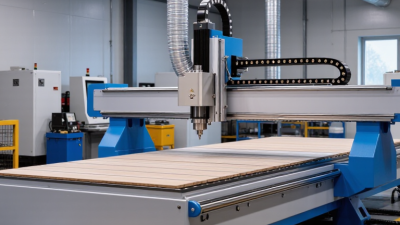
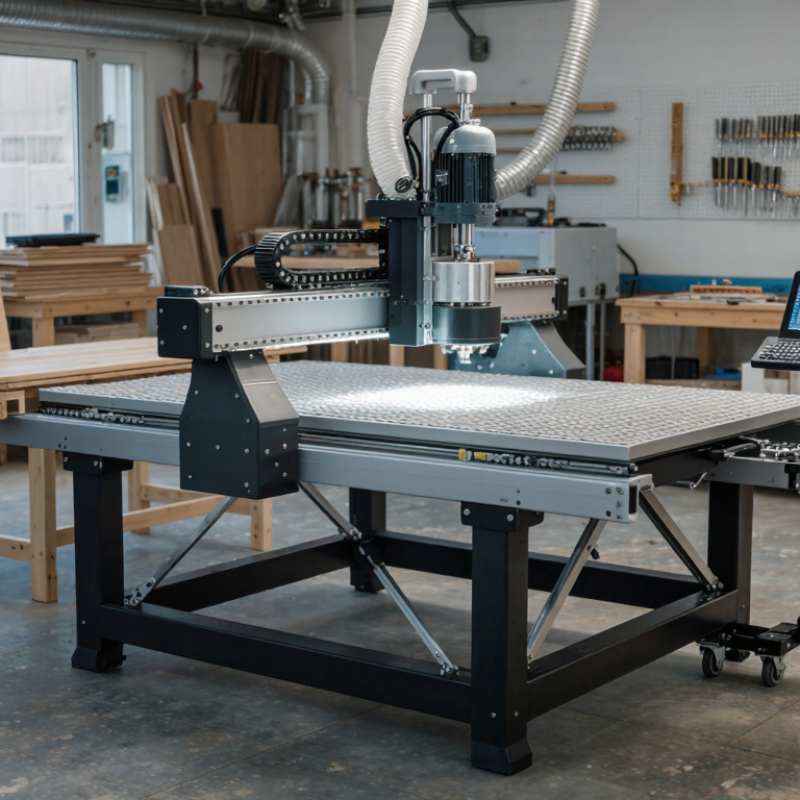
Choosing a CNC router table starts with the parts you actually cut. A compact moving-gantry machine can suit signs, cabinet components, and occasional sheet work. A fixed-bed format may provide more stability for heavier materials. Check usable travel, not just advertised bed size. Leave room for clamps, tool changes, and dust extraction. Small details matter.

Grand View Research estimated the global CNC router market at $748.7 million in 2023 and forecast 4.8% annual growth from 2024 to 2030. That signals continued investment, but it does not identify the right table for your shop. A full-sheet work area can reduce repositioning, while a smaller bed may be easier to fit and maintain. I would be careful not to overvalue maximum capacity; unused space still costs money.

Configuration changes workflow. A vacuum table holds broad, flat panels quickly, but porous stock may need a spoilboard or stronger vacuum. T-slot tables offer flexible clamping for narrow or irregular pieces. A hybrid setup is useful, though it adds setup choices. Check spindle clearance, gantry height, and the number of zones before buying. Then compare those figures with your largest routine job, not a once-a-year exception.

How to Choose the Best CNC Router Table in 2026? Compare Router Table Types, Work Areas, and Configurations

Router Table Type Typical Work Area (X × Y) Common Configuration Suitable Materials and Jobs Main Advantages Key Considerations Best Fit
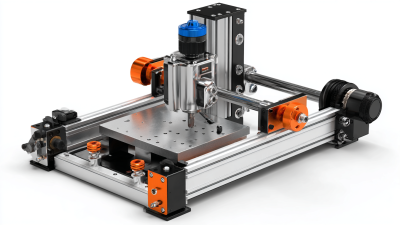
Benchtop / Compact About 300 × 300 to 600 × 600 mm (12 × 12 to 24 × 24 in) Small gantry; light frame; usually a trim router or compact spindle; T-slot or small spoilboard bed Engraving, signs, small panels, craft parts, and light-duty work in wood, plastics, and non-ferrous materials when properly set up Small footprint, lower entry cost, and convenient for a workshop or classroom Limited cutting area and rigidity; check spindle capacity, workholding, and manufacturer-approved material limits Hobbyists, educators, and users making small parts
Hobby / Mid-Size Gantry Commonly about 600 × 900 to 1,300 × 1,300 mm (24 × 36 to 51 × 51 in) Moving gantry; stepper or servo drives; T-slot bed, spoilboard, or a combination; dust collection often added Cabinet components, furniture parts, signs, templates, and sheet or board goods that fit the machine Balances work area, price, and workshop space; supports a wider range of project sizes than benchtop models Frame stiffness, gantry racking, drive system, and usable travel matter more as the machine gets larger Small businesses and serious workshop users
Industrial Fixed-Bed Often around 1,300 × 2,500 mm (51 × 98 in) or 1,500 × 3,000 mm (59 × 118 in) Rigid fixed bed with moving gantry; servo drives are common; vacuum zones, spoilboard, tool-length measurement, and automatic tool changing may be available Full or partial sheet processing, cabinetry, furniture, signage, and repeated production work Designed for demanding workloads, larger panels, and production-oriented accessories Requires more floor space, power, dust extraction, and investment; confirm the actual cutting envelope and sheet-loading clearance Established workshops and production shops
Nested-Based Production Router Frequently about 1,300 × 2,500 mm (51 × 98 in), with other sizes available Large vacuum bed divided into zones; nesting software workflow; automatic tool changer and material-handling options may be included Nesting cabinet parts and optimizing cuts from sheet materials such as plywood, MDF, and particleboard Can reduce manual setup and support efficient, repeatable sheet production Vacuum performance depends on the pump, spoilboard, material porosity, and sealed unused zones; software and workflow are part of the investment Cabinet and panel-processing businesses running repeated sheet jobs
Rotary-Axis Router Flat-bed area varies; rotary capacity is specified separately by workpiece length and diameter Standard XYZ gantry with a fourth rotary axis, typically mounted along the bed; tailstock or chuck support may be used Turning-style carving, columns, legs, balusters, and other cylindrical or indexed parts Processes shapes that a flat bed alone cannot machine in one setup Check maximum workpiece diameter and length, clearance, indexing method, and whether the rotary axis replaces or reduces usable flat-bed area Users making cylindrical or multi-sided components
Five-Axis Router Varies widely by machine; compare the specified XYZ travel and rotary-axis limits rather than relying on bed size alone Three linear axes plus two rotary axes; head-table or trunnion-style arrangements are common Complex 3D components, angled features, molds, sculpted parts, and multi-face machining Can reach multiple faces and angles with fewer repositioning steps Higher programming and setup demands; verify tool clearance, usable envelope, postprocessor support, and operator training needs Specialist shops producing complex three-dimensional parts

Selection note: Work-area figures are typical examples, not guaranteed specifications. Actual travel and usable cutting area vary by machine design. Before buying, compare the largest part or sheet you need to cut, available floor space, frame rigidity, spindle and drive specifications, workholding, dust collection, software compatibility, and service requirements.

Evaluate Frame Rigidity, Spindle Power, Motion, and Accuracy

A rigid frame is the starting point for accurate cuts. Check the gantry, joints, and table for flex, especially when the tool changes direction. A machine may look heavy yet still vibrate if its supports are poorly joined. Feel for vibration. During a test cut, listen for chatter and inspect the edges for repeating marks. These clues can reveal weaknesses that a specification sheet may not show.

Match spindle power to the materials and cutter sizes you expect to use. More power is not automatically better; stable speed and usable torque matter during a long cut. Check whether the spindle can maintain speed under load, and consider cooling, collet quality, and dust control. A small cutter in hardwood places different demands on the machine than a large cutter in foam. I would avoid choosing from peak power alone, though it is an easy number to compare.

Motion components affect both smoothness and repeatability. Look for well-supported rails and drives with little backlash, then check that the gantry travels squarely across the table. Run a test pattern and measure its dimensions with a caliper; repeat the cut to see whether results stay consistent. Calibration helps, but it cannot fix loose workholding or a dull bit. That part is often overlooked. Accuracy is a system, not a single feature.

Check Controls, Software Compatibility, Safety, and Support

A CNC router table can look simple until the first file fails to load. Check that its controller accepts your usual file formats and works with your design software. Ask for a live demonstration using a sample job, not just a screen tour. Test it live. Confirm that settings such as feed rate and tool changes are easy to adjust. A confusing control panel can waste time and encourage rushed decisions.

Software compatibility deserves a practical test. Open a real project, check the toolpath, then verify that the machine reproduces its dimensions. Deloitte and MAPI’s 2024 Smart Manufacturing Survey found that 86% of manufacturing executives expect smart manufacturing to drive competitiveness within five years. That shift makes reliable data exchange more important, even for a small workshop. Still, a router does not need every advanced feature. I would rather have stable, understandable software than a long feature list I rarely use.

Inspect the safety details in person. Check the emergency stop, guards, dust collection connections, and access around the cutting area. Ask how routine maintenance is taught and how quickly technical support responds. Get the answer in writing, including support hours and what troubleshooting help covers. A polished demo is not proof of dependable support. I learned to ask about setup problems, too; they are easy to overlook when everything is running smoothly.

How to Choose the Best CNC Router Table in 2026

Suggested evaluation weights for comparing CNC router tables

Use these suggested weights as a starting point, not as survey results: prioritize controls, software compatibility, and safety, then adjust the scores to fit your materials, workflow, and experience. Confirm software support, safety features, and service availability with the seller before buying.

Match Machine Specifications to Your Budget and Workspace

How to Choose the Best CNC Router Table in 2026?

Match the machine to the work you actually make, not the largest project you might someday attempt.

A 4-by-8-foot cutting bed needs more than eight feet of clear floor space: allow room to load sheets, reach controls, and service the machine. Measure doorways and ceiling height, too. Measure twice. A table that fits on paper may still block a walkway or leave no room for dust collection.

Compare the usable cutting area, Z-clearance, spindle power, electrical requirements, and included software against your budget. The purchase price is only part of the cost; add tooling, extraction, installation, and replacement parts. In a small shop, a compact machine can be the better value if it handles your regular materials.

NIOSH’s Criteria for a Recommended Standard: Occupational Noise Exposure recommends limiting workplace exposure to 85 dBA over eight hours, using a 3 dB exchange rate. That is a hearing-protection benchmark, not a claim that every router produces that level. Check noise at your own operating position, and plan extraction and hearing protection accordingly.

I’d still leave more service space than seems necessary; maintenance access is easy to underestimate. A little awkward, but useful.