
How to Choose a WiFi Humidity Sensor?
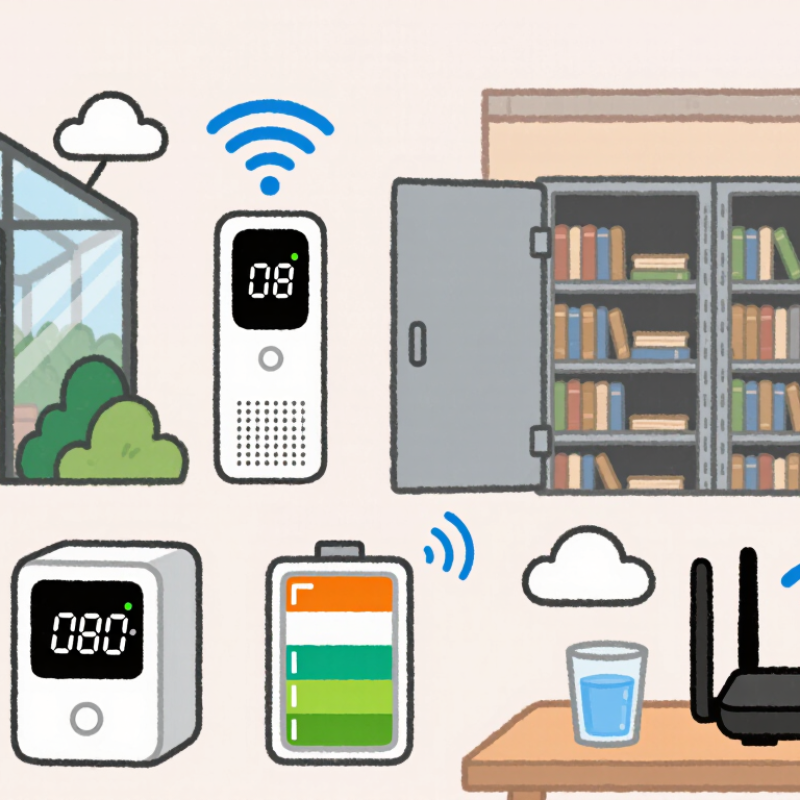
Choosing a Wifi Humidity Sensor is not simply a matter of selecting the cheapest device. The right model must deliver stable readings, reliable wireless coverage, and useful alerts. A sensor beside a greenhouse door faces different conditions than one inside a sealed archive cabinet. Temperature changes, condensation, metal shelving, and router distance can all influence performance.
Andy Stanford-Clark, an IBM Internet of Things pioneer, explains the core principle: “The value is in the data, not the device.” This idea matters when comparing a Wifi Humidity Sensor. A polished mobile app cannot repair inaccurate measurements. Look for a suitable humidity range, stated accuracy, calibration information, and a clear sampling interval. Battery life also deserves attention. Frequent updates may drain a small battery quickly. A device reporting every minute is not always better.
Installation can be surprisingly difficult. Thick concrete walls may weaken the signal. A sensor placed near a humidifier may produce dramatic readings, but those readings might not represent the whole room. Consider probe placement, WiFi frequency support, cloud privacy, and alert reliability. Check whether the system continues recording during a temporary internet failure. That detail is easy to overlook.
There is no perfect choice. I have seen buyers focus heavily on app design, then discover weak signal performance after installation. A careful decision compares the sensor with its actual environment, not only its product page. This guide will examine accuracy, connectivity, power use, calibration, data access, and practical setup. The goal is simple: choose a Wifi Humidity Sensor that provides trustworthy information when conditions change.
Define Your Monitoring Goals and Required Humidity Range
How to Choose a WiFi Humidity Sensor?
Define Your Monitoring Goals and Required Humidity Range
Start by defining what you need to protect. A bedroom, archive cabinet, greenhouse, and server room require different humidity targets. For ordinary indoor comfort, the U.S. Environmental Protection Agency recommends maintaining relative humidity between 30% and 50%. ASHRAE guidance commonly places acceptable comfort conditions around 30% to 60%, depending on temperature and occupants. Range comes first.
For mold prevention, measure both average humidity and short spikes after showers, cooking, or rainfall. A sensor should alert you before moisture remains above 60% for long periods. In a storage room, tighter control may matter more than simple comfort. Paper and electronics can deteriorate when humidity repeatedly changes. The Smithsonian Institution’s preservation guidance often uses stable mid-range humidity, but exact targets depend on collection materials. Do not copy a generic setting blindly.
Choose a device that records trends, not just current readings. Look for adjustable alert thresholds, calibration information, a stated accuracy range, and reliable WiFi transmission. Placement also affects results. Keep the sensor away from windows, vents, direct sunlight, and humidifiers. Test it beside a trusted reference instrument for several days. Small errors become important near an alert limit. Real buildings are messy. Your first target may need revision after observing seasonal changes, occupancy, and ventilation.
Compare Sensor Accuracy, Calibration, and Measurement Stability
How to Choose a WiFi Humidity Sensor?
Choosing a WiFi humidity sensor starts with its accuracy claims, but testing conditions matter more than headline numbers. An advertised ±2% RH may apply only at 25°C and mid-range humidity. Bathrooms, storage rooms, and greenhouses often create condensation, temperature swings, or readings near sensor limits.
Check the specified range, temperature compensation, response time, and tolerance across the full operating environment. Look beyond the box.
In practice, compare the sensor with a calibrated reference hygrometer. Place both devices together, away from vents and direct sunlight, for several hours. Saturated salt tests can provide useful reference points at selected humidity levels. However, home calibration is not perfect, especially when temperature changes during testing.
Keep a record of the correction, date, temperature, and test conditions.
Calibration is not permanent.
Measurement stability deserves equal attention. Review graphs instead of trusting one impressive reading. Watch for sudden jumps, flat lines, delayed updates, and repeated values. WiFi outages can create missing data, while weak signals may delay alerts.
Battery-powered sensors may sleep between measurements, reducing detail. A stable sensor should show gradual changes when room conditions change gradually.
I once trusted a smooth graph that later proved to be a frozen connection. That mistake changed my testing habits. I now check timestamps, signal strength, and local readings before accepting long-term humidity data.
Evaluate WiFi Connectivity, Compatibility, and Data Access
Choosing a WiFi humidity sensor starts with the room’s actual wireless conditions, not the packaging. A basement with concrete walls may weaken a 2.4 GHz signal, while metal shelving can create unstable connections. Test the signal where the sensor will sit. A strong reading near the router proves little.
Check whether the sensor supports your router’s security settings and network frequency. Some devices work only with 2.4 GHz networks, while newer routers may combine frequencies under one name. Compatibility with mobile apps, web dashboards, or home automation systems also matters. I once installed a sensor that connected quickly but could not join a guest network. The specifications were technically correct, yet the setup still failed. Check the details.
Data access determines whether the sensor remains useful after installation. Look for clear temperature and humidity graphs, downloadable records, adjustable alerts, and reliable timestamps. An API can help when you need reports or integration with another system. Confirm how long readings remain available and whether offline data is stored until the connection returns. Review account permissions and data protection practices, too. Keep it practical. A sensor that sends notifications but hides historical readings may not support maintenance decisions. I prefer testing one unit for several days, checking missed readings, reconnection time, and battery changes before expanding the system.
How to Choose a WiFi Humidity Sensor?
Compare the most important selection factors: WiFi connectivity, network compatibility, data access, measurement accuracy, security, and power efficiency. The scores represent a practical evaluation framework, not data from any specific company or brand.
A strong sensor should support the required WiFi band and security mode, work with the intended network infrastructure, provide accessible data through an API or standard protocol, and deliver stable humidity readings with acceptable power consumption.
Check Power Options, Installation Methods, and Environmental Durability
Choosing a WiFi humidity sensor requires more than checking its advertised accuracy. Power options directly affect maintenance. Battery models suit rental rooms, storage areas, and locations without outlets. However, cold temperatures can reduce battery performance. USB-powered units provide steadier operation, while wired power may suit continuous monitoring.
I prefer sensors with low-battery alerts and local data storage. A network outage should not erase every reading.
Installation also changes measurement quality. Mount the sensor away from windows, vents, radiators, and direct sunlight. A wall-mounted device should sit near breathing height, not behind furniture. For ducts or production spaces, use a properly rated probe and sealed cable entry.
The U.S. EPA’s moisture-control guidance recommends keeping indoor relative humidity below 60%, with 30–50% often preferred for mold prevention. ASHRAE’s comfort guidance commonly uses a 30–60% relative-humidity range. These limits make placement important, not decorative.
Environmental durability deserves close inspection. IEC 60529 ratings can help: IP65 resists dust and water jets, while IP67 supports temporary immersion. Neither rating proves long-term accuracy under condensation, chemicals, or freezing conditions.
Check the stated temperature range, humidity limit, enclosure material, and calibration interval. In practical installations, condensation is often the overlooked failure point. I have seen a technically accurate sensor produce questionable readings after repeated temperature swings. That was not a WiFi problem. It was a placement mistake.
My own selection process is still imperfect, so I leave room for recalibration and manual comparison with a trusted reference meter.
Assess Alerts, Data Storage, Security, and Total Ownership Cost
How to Choose a WiFi Humidity Sensor?
A reliable sensor should do more than display humidity. Its alerts must arrive before stored materials, instruments, or rooms suffer damage. Test high and low thresholds in the actual space. Check whether alerts reach email, mobile apps, or text messages. Measure the delay near thick walls and weak WiFi areas. A loud alarm is useful, but quiet notifications can be missed during busy hours.
Data storage also deserves careful attention. Look for clear history charts, downloadable records, and adjustable retention periods. A month of readings may not support seasonal maintenance decisions. Ask whether data remains available during an internet outage. Security should include encrypted transmission, strong account controls, and regular software updates. Separate user permissions help prevent accidental changes. No setup is perfect. A complicated dashboard can still cause human errors.
Tips: Compare the full ownership cost, not only the purchase price. Include batteries, gateways, subscriptions, calibration, replacement units, and staff time. A cheaper sensor may become expensive after repeated battery changes. Keep one spare for testing. Review alert logs monthly, because untested warnings create false confidence. I would also record readings beside the sensor during installation; walls, sunlight, and airflow can distort results.
